


 Home
HomeAI Course Creator - AcademyOcean



Helps TikTok sellers, brands, MCNs, and TAPs discover winning products and find creators.

HelpLook is an AI-powered all-in-one knowledge base tool that helps businesses quickly build knowledge bases, help centers, and...

Your AI Workspace

302.AI is an enterprise-grade AI resource platform with pay-as-you-go pricing, API access to a full range of AI models, and ready-to-use online applications.

剧火AI — AI Screenwriter + Director, a One-Person Short Drama Studio In one sentence, what is it?

What is Originality?Originality.AI is an advanced AI-powered platform built to identify AI-generated text and detect plagiarism. It serves writers, publishers, and educators by verifying the authenticity and originality of content. The tool utilizes

What is Altsite?Altsite is a browser extension that helps users find websites similar to the one they're currently visiting. Using advanced AI technology, it analyzes website content and instantly generates a list of related sites. This tool is ideal

What is Hive AI Detector?Hive AI Detector uses advanced machine learning to analyze various types of media and determine whether they were generated or altered by artificial intelligence. This tool is ideal for journalists, educators, marketers, and

What is Lilybank AI? Lilybank AI is a game-changer in the world of content creation. It's like having a team of AI wizards at your fingertips, ready to churn out high-quality content faster than you can say "publish." From crafting compelling blog posts t

What is Rosebud?Rosebud.ai is a cutting-edge platform that uses generative AI to streamline the game development workflow. It offers a suite of tools to produce game assets—including characters, environments, and textures—and to animate avatars using
AI Course Creator - AcademyOcean Product Information
What is the AI Course Creator by AcademyOcean?
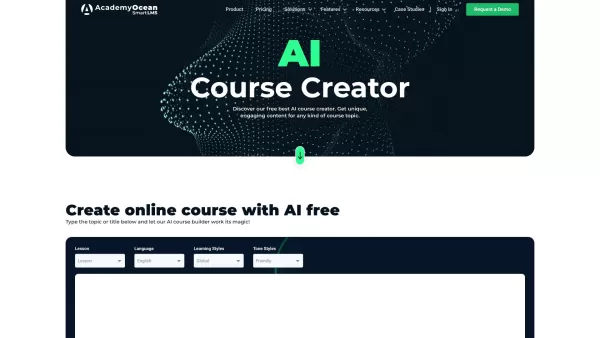
AcademyOcean's AI Course Creator is a smart platform that uses artificial intelligence to simplify building and launching online courses. It helps teachers, corporate trainers, and businesses design personalized courses quickly. Just provide your topic and goals, and the AI handles structuring, content generation, and customization to deliver an engaging learning experience.
Who is the AI Course Creator for?
- Teachers and Instructors
- Corporate Training Teams
- Companies and Organizations
- E-learning Professionals
- Human Resources (HR) Departments
How to use the AI Course Creator
- Step 1: Create an account on AcademyOcean.
- Step 2: Select the AI Course Creator from your dashboard.
- Step 3: Enter your course topic and learning objectives.
- Step 4: Upload your existing documents, videos, or other materials.
- Step 5: Allow the AI to generate a structured course outline.
- Step 6: Personalize the content and design using editing tools.
- Step 7: Review the course and make final tweaks.
- Step 8: Publish and monitor your learners' progress and results.
Platform
- Web-based
Core Features & Benefits of AI Course Creator
Key Features
- AI-powered course generation
- Automated content structuring
- Customizable course templates
- Interactive quizzes and tests
- Progress tracking and analytics dashboard
- Support for videos, images, and documents
Key Benefits
- Drastically reduces course development time
- Delivers consistent, professional content
- Creates interactive and learner-friendly courses
- Scales from individual creators to large teams
- Boosts learner participation and completion rates
Main Use Cases & Applications
- Internal employee onboarding and training
- Customer onboarding and product education
- Professional certification and compliance training
- Academic and curriculum development
- Sales and product knowledge training
Pros & Cons of AI Course Creator
Advantages
Generates course content rapidly and at scale
Adaptable to different learning approaches and languages
Intuitive interface, no coding or technical expertise needed
Produces high-quality, engaging educational content
Free tier available to test AI course creation
Pro plan includes advanced design controls and platform integrations
Limitations
Free usage has limits; quotas apply before an upgrade is needed
Not an open-source tool; no community modifications
Relies on AI service uptime, which may occasionally be interrupted
Full pricing information is on a separate page
AI Course Creator Pricing
Free plan available | YES |
|---|---|
Free trial details | Free attempts to explore AI course creation, no credit card required |
Pricing model | Freemium |
Credit card required for trial? | No |
Paid plans start from | 50 USD |
Lifetime plan offered | No |
Billing cycle | Monthly |
Pricing Plan Details
Pro Plan
50 USD per month
- Unlimited creative freedom
- Advanced design customization tools
- Seamless integrations (API and Zapier)
- Unlimited course storage
- AI Copilot assistant
For the most current pricing, visit: https://academyocean.com/ai-course-creator
Frequently Asked Questions
What is AcademyOcean’s AI Course Creator?
It's an AI-powered tool that automates online course development, simplifying the process for educators and organizations.
How does the AI Course Creator work?
You provide the subject and goals; the AI then structures the content, generates material, and provides templates for you to customize.
Who can benefit from using this tool?
It's ideal for educators, corporate trainers, businesses, HR teams, and e-learning developers.
Can I customize the AI-generated courses?
Absolutely. You have full control to edit, rearrange, and personalize all content and the course flow.
Is the tool suitable for large companies?
Yes, it is built to scale and can support the training needs of enterprises.
What content can I add to courses?
Courses support text, images, video, audio, presentations, quizzes, and downloadable files.
Does it include analytics?
Yes, built-in analytics let you track completion rates, quiz scores, and learner engagement.
How fast can I create a course?
The AI accelerates setup, but final time depends on course length and your customization level.
Can I preview my course before going live?
Yes, you can preview the entire learner experience and make edits before publishing.
What support is available?
AcademyOcean provides customer support to assist with platform use and any questions.
Company Information
- AcademyOcean
- https://academyocean.com
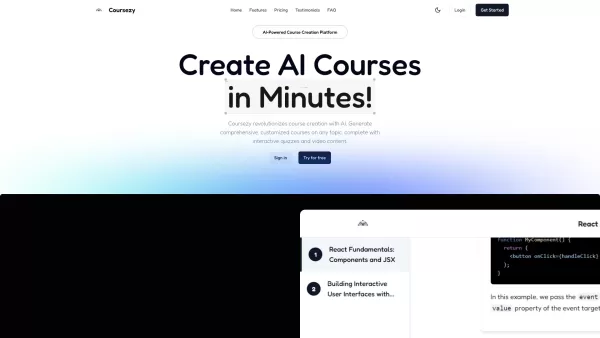
AI Course Creator - AcademyOcean Screenshot

2026 Latest Best Top-rated AI Object Removal Editors for portraits travel product shots! XIX.AI curates a powerful game-changing collection regularly updated with weekly rankings. These tools offer real-world tests to help you quickly remove unwanted elements, boost content quality, and save tons of time without compromising results. Must-try for anyone aiming to unlock their AI creation edge. Explore now!
 10 tools
 xix.ai

2026 Latest Best Top-rated AI Text to Speech Tools for Online Courses are curated by XIX.AI based on rigorous real-world tests and weekly updated rankings. These powerful tools help creators deliver crystal-clear audio content effortlessly, boosting writing efficiency and streamlining course production. Check out the free vs paid comparison to find your perfect fit. Explore now to unlock your AI edge in online education.
10 tools
xix.ai

2026 Latest Best Top-Rated AI Blog Title Tools for Higher Click Through Rates! XIX.AI has carefully curated a powerful, game-changing collection of top tools that go through rigorous real-world tests. You’ll find a free vs paid comparison, weekly updated rankings, and detailed insights to help you boost your blog’s traffic efficiently. Must-try options are highlighted to help you unlock your AI edge. Explore now!
10 tools
xix.ai

2026 Latest Best Top-rated AI Task Routing Tools for Support Workflows! XIX.AI has curated a highly powerful game-changing collection of must-try solutions, all undergoing rigorous real-world tests and updated weekly. These tools streamline workflows, boost productivity, and help teams deliver faster, more efficient support. Explore now to discover your perfect tool and unlock your AI edge!
17 tools
xix.ai

2026 Latest Best Top-Rated AI Citation and Paper Summary Tools Curated by XIX.AI. Get powerful game-changing solutions for quick content creation, improved writing efficiency, and boosting productivity. We offer a free vs paid comparison along with real-world tests and weekly updated rankings to help you find the must-try tool that fits your needs perfectly. Explore now to Unlock your AI edge.
10 tools
xix.ai

2026 Latest Best Top-Rated AI Productivity Tools for Daily Work! XIX.AI has curated a powerful, game-changing selection based on rigorous weekly updated rankings and real-world tests. You’ll find must-try options that boost writing efficiency, streamline content creation, and help you overcome daily work challenges. Get a free vs paid comparison to find the perfect fit for your needs. Explore now to unlock your AI edge!
9 tools
xix.ai


